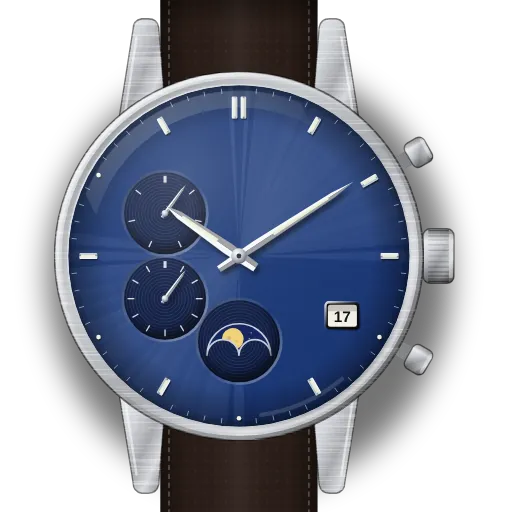
How to reset the hands and moon on a Citizen Tsuki-yomi A-T (H874)
Quick steps · Tsuki-yomi A-T with Citizen H874:
- Push the crown in to position 0.
- Hold button B for 10 seconds, then release it.
- Check for full moon, "S", date between 31 and 1, 0:00, 24-hour hand at 24.
- All correct? Press button B to finish.
- If not, pull the crown to position 2 and select with button B.
- Turn the crown to put the selected item on its position.
- Push the crown in to position 0, then press button B.
At a glance
| Caliber | Citizen H874, Eco-Drive, radio controlled (manual p. 1). Citizen lists caliber H874 for the BY1010-57L. |
|---|---|
| Buttons | Button B upper right, button A lower right, crown positions 0, 1 and 2 (p. 2). |
| Reference position | Moon at full moon. Function hand at "S". Date midway between "31" and "1". Hands at 0:00:00. 24-hour hand at "24" (p. 9). |
| When to check it | Citizen says to check it if the time or calendar is wrong after a good signal reception (p. 9). |
| Moon calibration | You can move the moon up to ±2 days with button A at position 1 (p. 5). |
| Accuracy | ±15 seconds a month without reception, at +5 to +35 °C (p. 11). |
| Not in the manual | How the reference position gets lost, how often to check it, and what to do next if the time stays wrong after a correction. |
What do you need to set?
Check and correct the reference position
- 1
Push the crown in to position 0
Push the crown in to position 0.
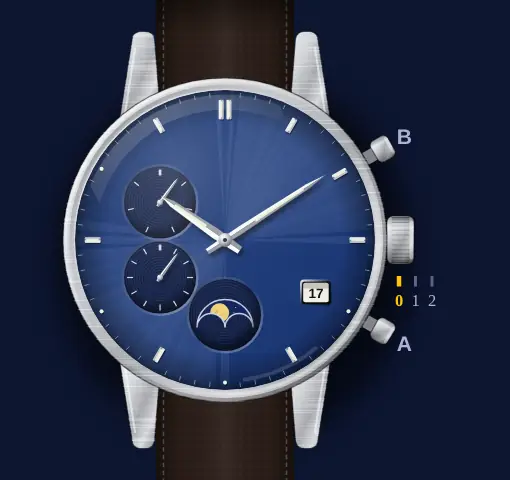 Some models have a screw-down crown. Turn it counterclockwise until it comes free of the case. Do this before you use the crown (p. 2).
- 2
Hold button B for 10 seconds
Press and hold button B for 10 seconds or more. Release it when the hands start to move.
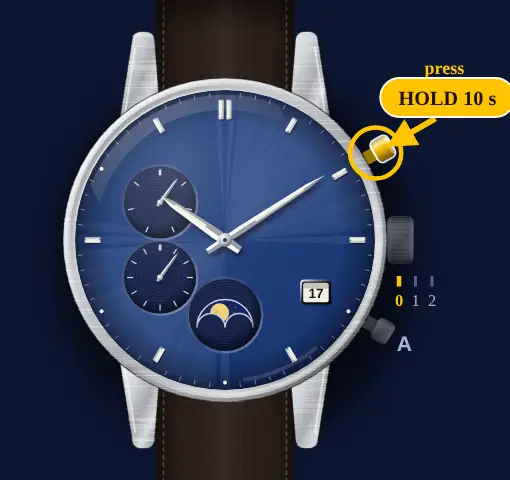 The hands and the moon go to the reference positions the watch has in memory (p. 9).
- 3
Compare the hands and the moon
Look at all hands, the date and the moon. Compare them with the reference position.
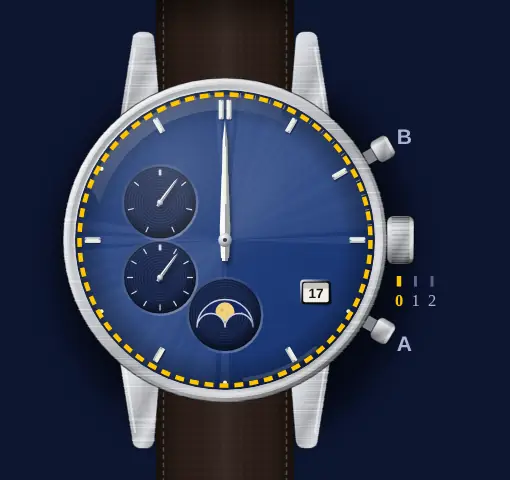 Reference position: moon at full moon. Function hand at "S" (Sunday). Date midway between "31" and "1". Hour, minute and second hands at 0:00:00. 24-hour hand at "24" (p. 9).
- 4
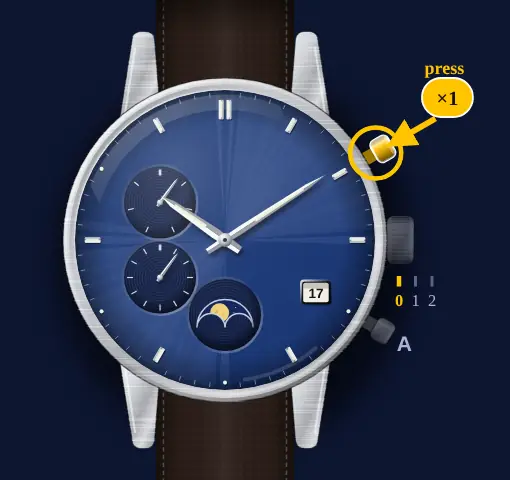
All correct? Press button B
If all positions are correct, press and release button B. The procedure is then complete. If one is wrong, do the next steps.
- 5
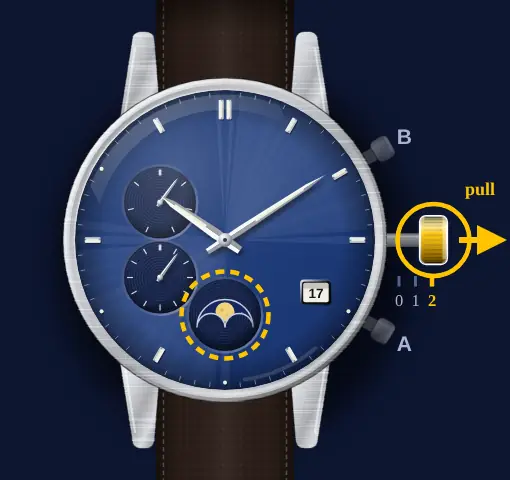
Pull the crown out to position 2
Pull the crown out to position 2. The moon moves a little to show that you can adjust it.
- 6
Press button B to select
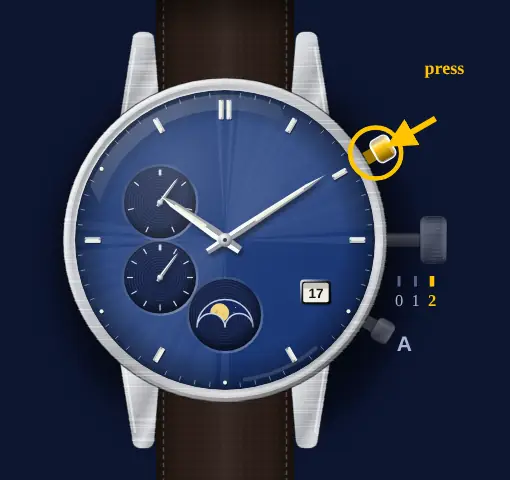
Press and release button B to select the next hand or indication. The selected item moves a little.
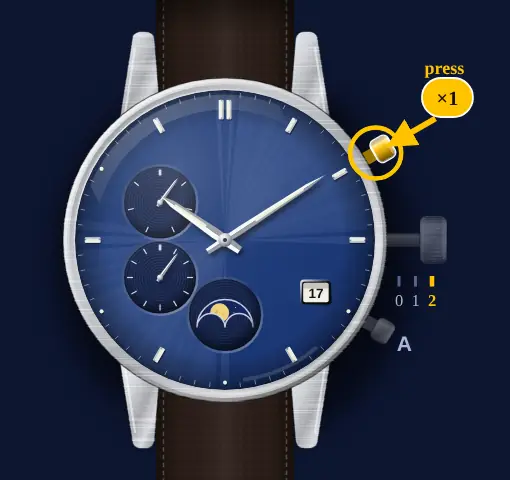 The order is: moon phase, function hand and date, hour, minute and 24-hour hands, second hand, then back to the moon (p. 9).
- 7
Turn the crown to adjust
Turn the crown until the selected item is at its reference position.
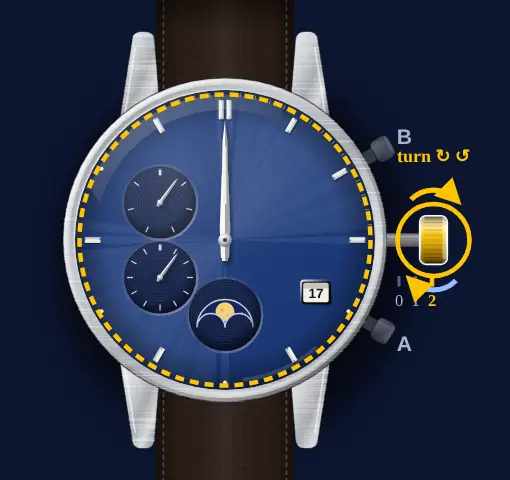 The hour, minute and 24-hour hands move together. Turn the crown clockwise for the function hand and the date. The date moves on one step for each five turns of the function hand. After quick turns the hands keep moving. Turn the crown in either direction to stop them (p. 9).
- 8
Do the other items
Repeat the two steps before for each item that is wrong.
- 9
Push the crown in to position 0
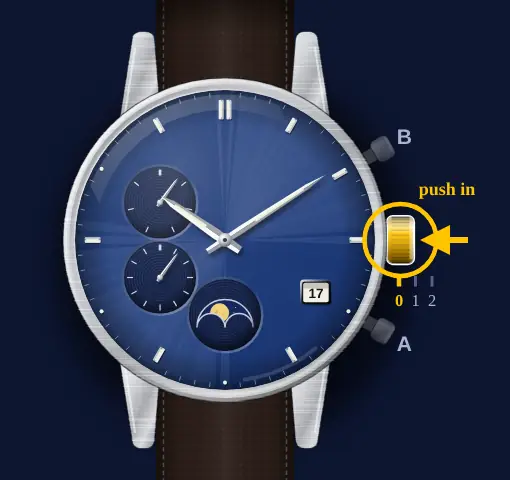
Push the crown in to position 0.
- 10
Press button B to finish
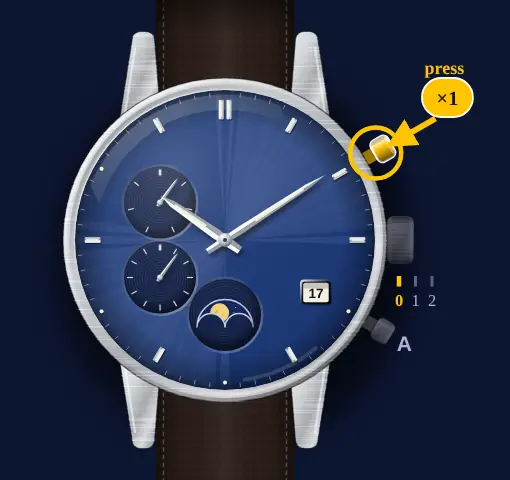
Press and release button B. The watch goes back to normal indication.
Set the moon phase
- 1
Pull the crown out to position 1
Pull the crown out to position 1. The function hand shows the hemisphere setting, N or S.
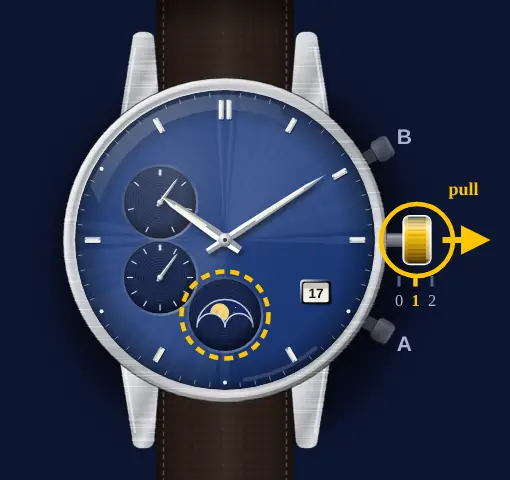 To change the hemisphere, press and release button B at this position. Each press changes between N and S (p. 5).
- 2
Hold button A for 2 seconds
Press and hold button A for 2 seconds. Each hold moves the moon by one step.
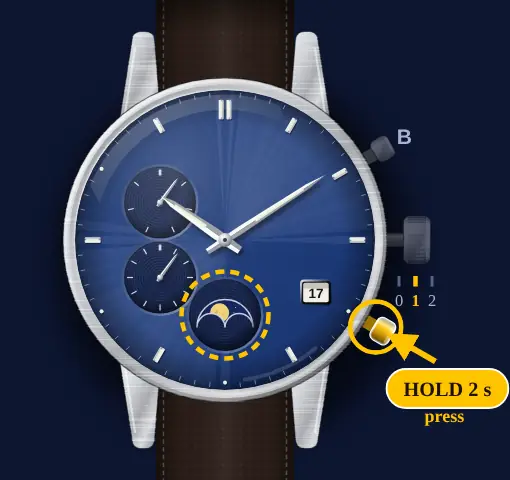 The order is +1, +2, -2, -1, ±0 days. A short press of button A sets the value back to ±0. Citizen suggests you do this at a new moon or a full moon (p. 5).
- 3
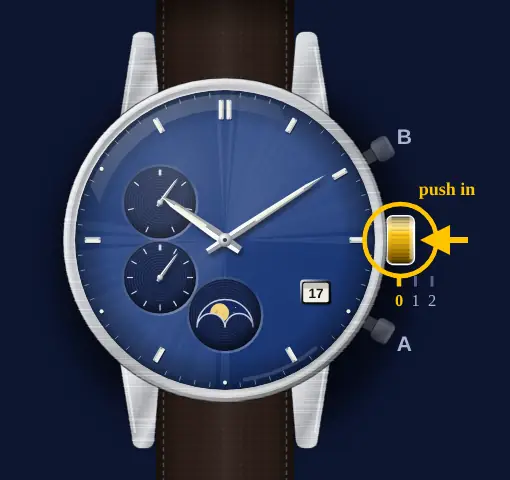
Push the crown in to position 0
Push the crown in to position 0.
All Reset, and what I could not confirm
- Citizen also gives an All Reset for a watch that does not work properly. If the power reserve is low, charge the watch first. Then pull the crown out to position 2. Hold buttons A and B together for 4 seconds or more, then release them. Wait until the hands stop (p. 9).
- After All Reset the watch is in the reference position mode. Citizen says to correct the reference positions, then set the time zone, then set the time and calendar (p. 9).
- The manual does not say how often to check the reference position. It also does not say what to do if the time is still wrong after you correct it. I would receive the signal by hand next (p. 5), but that is my suggestion, not Citizen's.
What owners run into
- Time wrong after an OK reception? Citizen says to check the reference position first.
- Moon a day or two off but the hands are right? Use the moon calibration at position 1, not the reference position.
- Moon shape the wrong way round? Check the N or S hemisphere setting at position 1.
- Hands moving on their own after you turned the crown fast? Turn the crown once in either direction to stop them.
How it differs from similar watches
The Citizen 8730 sets its moon with the crown. The Tsuki-yomi A-T calculates the moon itself and uses buttons A and B for the checks.
Quick answers
How do I check the reference position on a Tsuki-yomi A-T?
Push the crown in to position 0. Hold button B for 10 seconds or more. Compare the hands, date and moon with the reference position.
What is the reference position on caliber H874?
Full moon, function hand at "S", date midway between "31" and "1", 0:00:00, and the 24-hour hand at "24".
How do I correct the reference position?
Pull the crown out to position 2. Press button B to select an item. Turn the crown to adjust it. Push the crown in and press button B.
How do I correct the moon on a Citizen H874?
Pull the crown to position 1. Hold button A for 2 seconds for each step, up to ±2 days. Push the crown in.
How do I do an All Reset on a Tsuki-yomi A-T?
Pull the crown out to position 2. Hold buttons A and B together for 4 seconds or more. Then correct the reference positions.