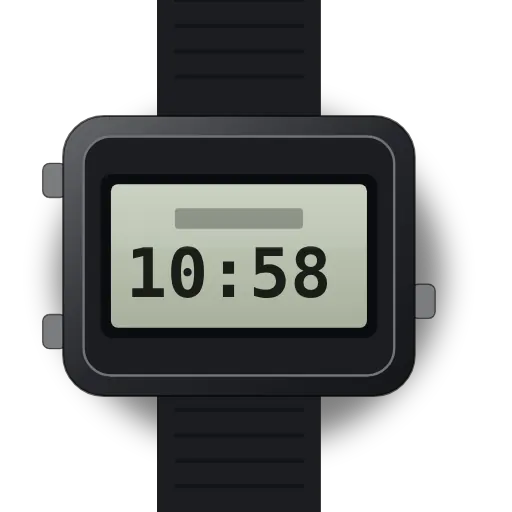
How to set a Casio F-91W or A158W: time, date, alarm and stopwatch
Quick steps · Casio F-91W or A158W, module 593:
- Press C three times until the seconds flash.
- Press L to move to the hour, then the minutes, and A to change them.
- Press L again for the month, the date and the day.
- Press C to finish.
- In the time display, press A to switch between 12-hour and 24-hour.
- For the alarm, press C once, then set it with L and A.
- In the alarm mode, press A to switch the alarm and hourly beep.
At a glance
| Module | Casio Operation Guide 593 (MA1211-ED). It is one page. Casio's DST quick guide for module 593 uses the same time setting. |
|---|---|
| Models | Retailer and fan listings give module 593 for the F-91W and A158W. A retailer (Ditur) hosts Casio's own 593 guide (MA1211-ED) as its A158 manual. Casio's 593 guides don't name models. Check the module number on your case back. |
| Case back | If your case back says 593, these steps fit your watch. |
| Buttons | As Casio draws them: L upper left, C lower left, A on the right. C changes the mode. Casio labels L "Light" (Reading the display). |
| Modes | Timekeeping, Daily Alarm (AL), Stopwatch (ST), then the time and calendar setting. Each push of C goes to the next one. |
| Setting order | Seconds, hour, minutes, month, date, day. Casio says the order must be followed. Push L to skip a setting. |
| Alarm and time signal | A daily alarm that sounds for 20 seconds, and a time signal every hour on the hour. You turn each one on or off. |
| Stopwatch | 1/100 second, up to 59:59.99. Net time, split time and 1st-2nd place times. |
| Summer time (DST) | There is no DST setting. Set the hour again in the setting mode (Casio's DST quick guide for module 593). |
| Accuracy and battery | ±30 seconds a month at normal temperature. CR2016, about 7 years, with 20 seconds of alarm and 1 second of light a day (Specifications). |
| Not in the manual | The F-91W and A158W names and any other model names. There is no year setting, and Casio gives February 28 days. |
What do you need to set?
Set the date
- 1
Open the setting mode
Press button C three times. The seconds flash.
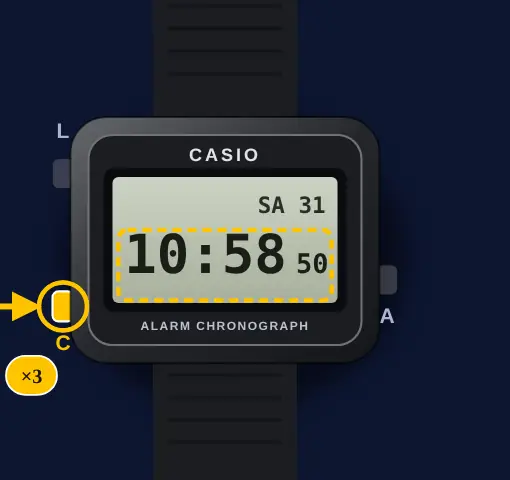 Each push of C goes to the next mode: Timekeeping, Daily Alarm (AL), Stopwatch (ST), then the time and calendar setting.
- 2
Skip to the month
Press button L three times. The month flashes.
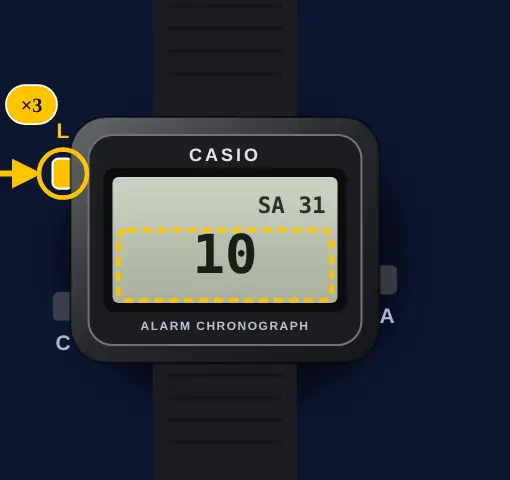 Each push of L goes to the next setting: seconds, hour, minutes, month, date, day. Push L to skip a setting.
- 3
Set the month
Press button A to increase the month.
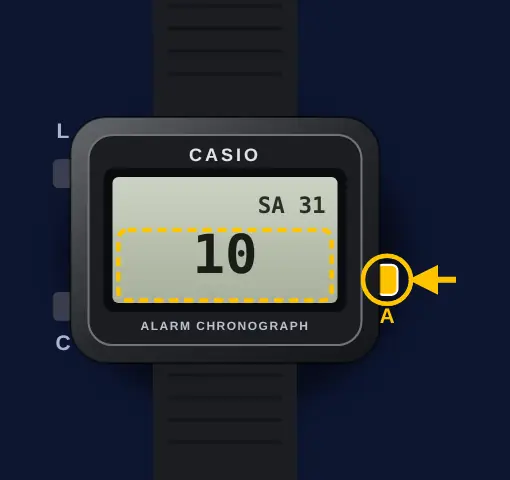 Hold button A for more than 2 seconds to advance quickly.
- 4
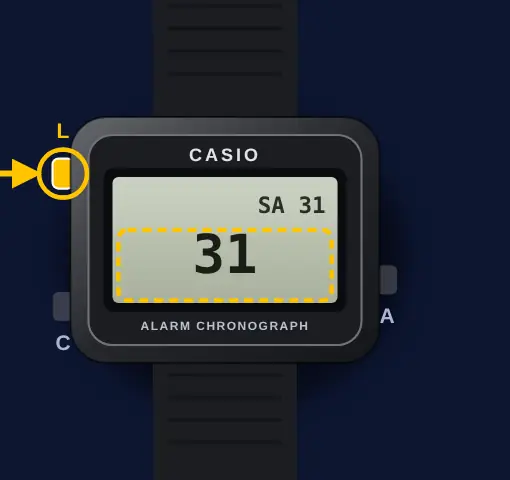
Set the date
Press button L. The date flashes. Press button A to increase the date.
- 5
Set the day
Press button L. The day flashes. Press button A to go to the next day.
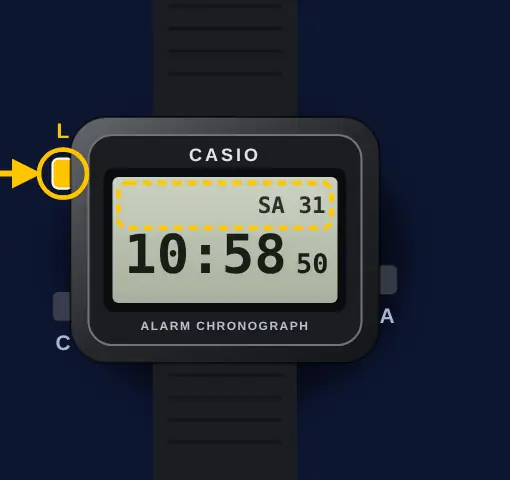 The day does not set itself from the date. SU, MO, TU, WE, TH, FR and SA are Sunday to Saturday.
- 6
Press button C to complete
Press button C. The watch goes back to the Timekeeping Mode.
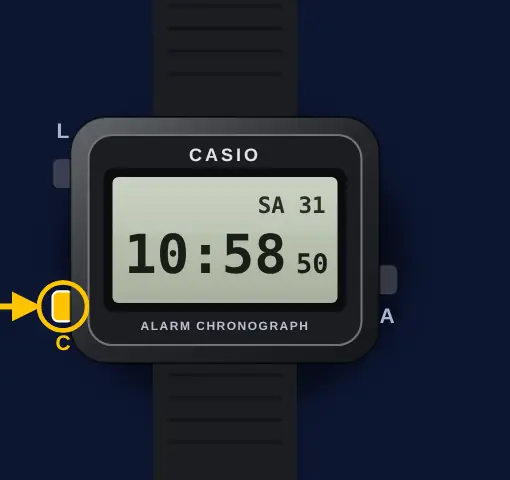 Casio says the auto-calendar has 28 days for February. In a leap year, the watch shows 1 March on 29 February. Set the date again.
Set the time
- 1
Open the setting mode
Press button C three times. The seconds flash.
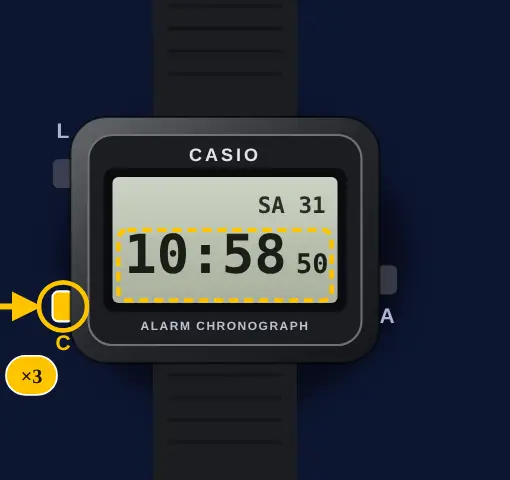 Each push of C goes to the next mode: Timekeeping, Daily Alarm (AL), Stopwatch (ST), then the time and calendar setting.
- 2
Adjust the seconds
Press button A to adjust the seconds. Do it on a time signal from the radio, TV or telephone.
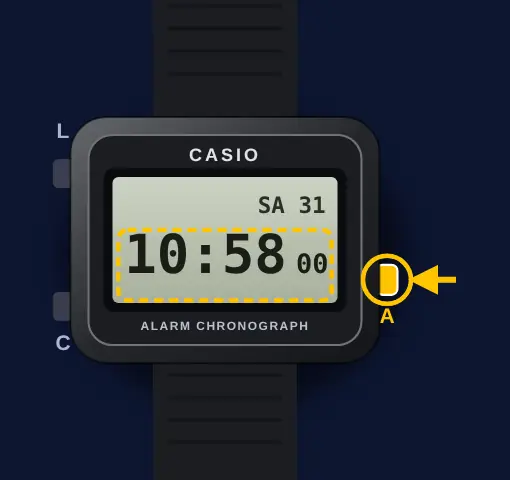 Casio says to correct the seconds once a month. The accuracy is ±30 seconds a month at normal temperature.
- 3
Set the hour
Press button L. The hour flashes. Press button A to increase the hour. Check the PM mark.
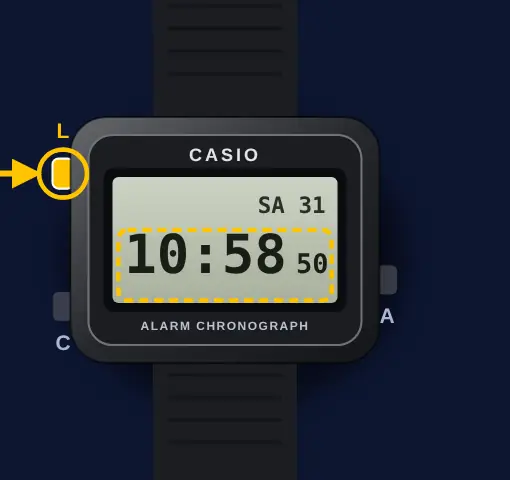 Hold button A for more than 2 seconds to advance quickly.
- 4
Set the minutes
Press button L. The minutes flash. Press button A to increase the minutes.
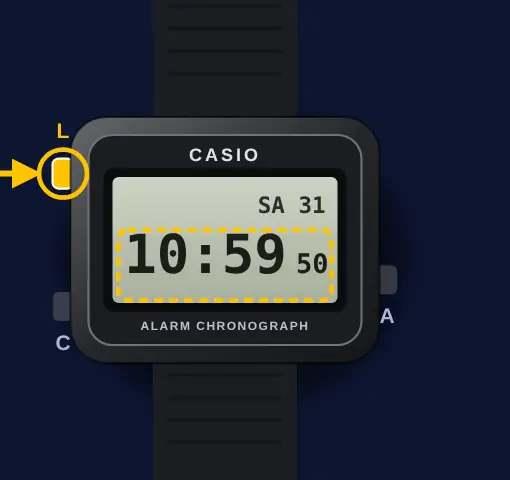
- 5
Press button C to exit
Press button C. The watch goes back to the Timekeeping Mode.
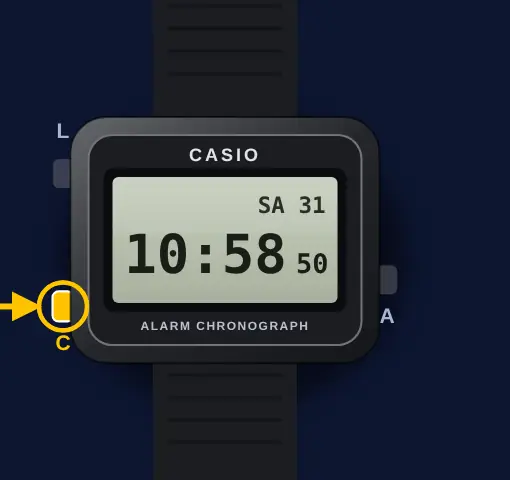 To set the date too, push L again instead. Do not touch any button for a few minutes and the watch also goes back.
- 6
Choose 12-hour or 24-hour
In the Timekeeping Mode, press button A. Each push changes between the 12-hour and 24-hour formats.
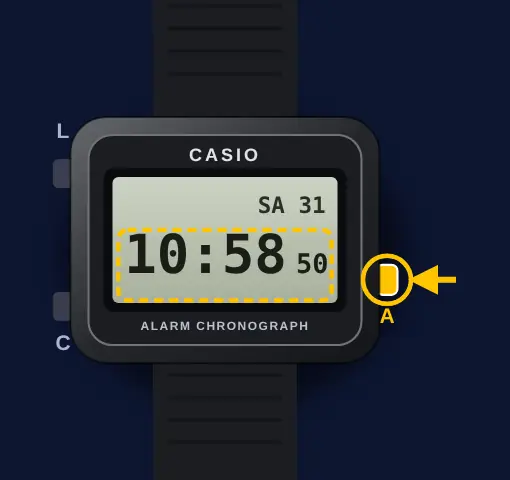
Set the daily alarm
- 1
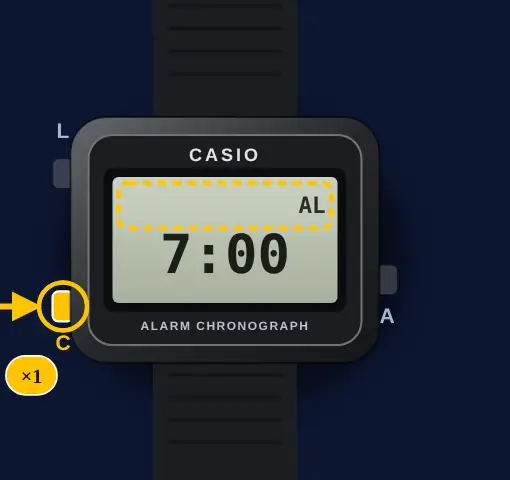
Go to the Daily Alarm Mode
Press button C one time. AL shows on the display.
- 2
Set the hour
Press button L. The hour flashes. Press button A to increase the hour.
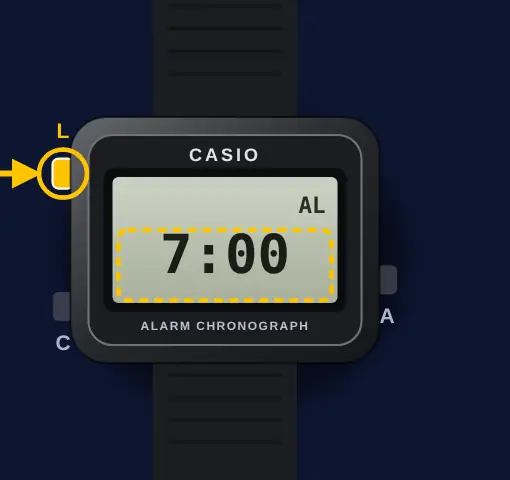 Hold button A for more than 2 seconds to advance quickly.
- 3
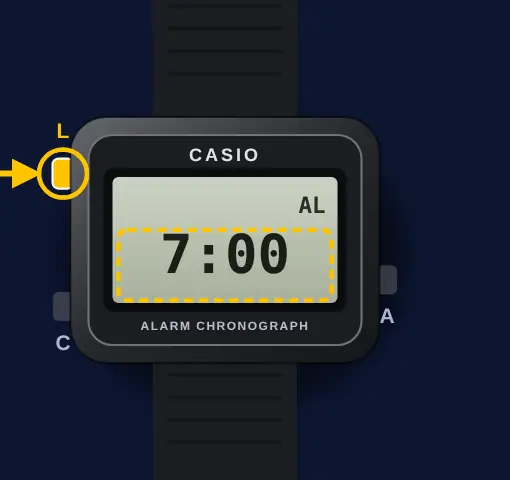
Set the minutes
Press button L. The minutes flash. Press button A to increase the minutes.
- 4
Press button L to complete
Press button L. The alarm time is set.
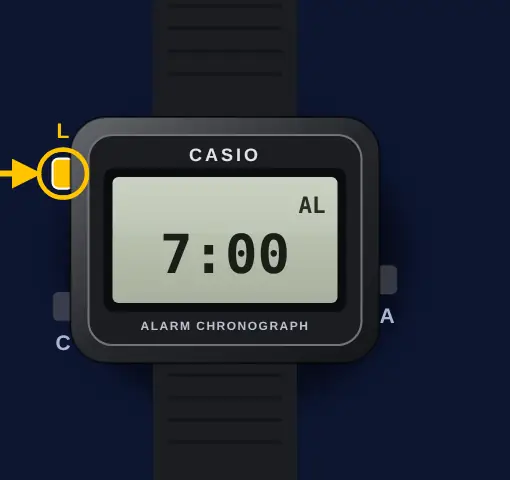 The alarm sounds for 20 seconds at this time every day. Press button L to stop it. The alarm-on mark must show (see the next section).
Turn the alarm and hourly signal on or off
- 1
Go to the Daily Alarm Mode
Press button C one time. AL shows on the display.
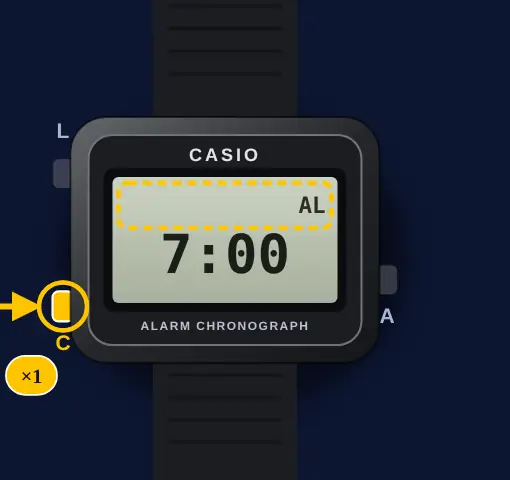
- 2
Press button A to change the marks
Press button A. Each push goes to the next setting. Stop when the marks you want show.
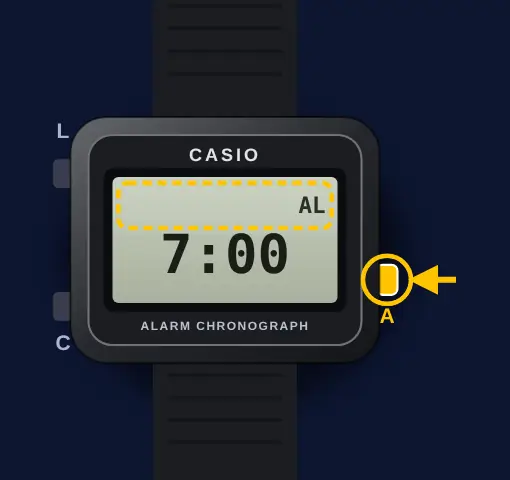 The order is: alarm and time signal on, both off, alarm only, time signal only, then both on again. The time signal sounds every hour on the hour.
- 3
Test the buzzer
Hold button A to hear the buzzer.
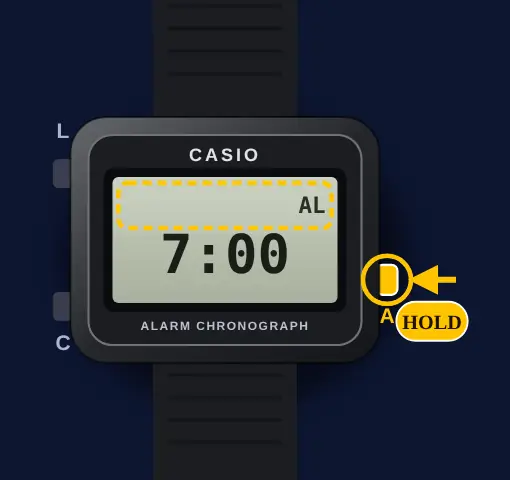 Casio calls this the sound demonstration. Look at the marks again after the test.
- 4
Go back to the time
Press button C three times. The watch goes through the Stopwatch Mode and the setting mode back to the Timekeeping Mode.
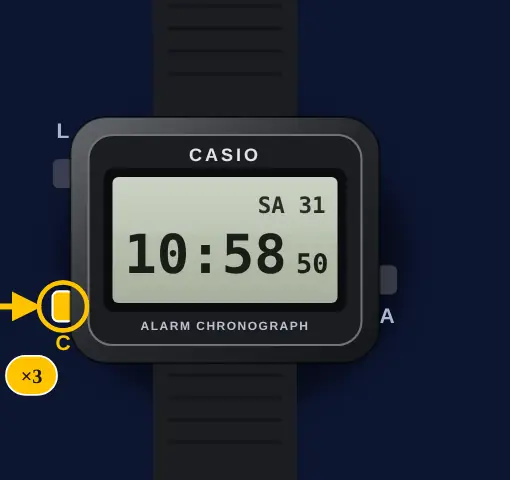
Use the stopwatch
- 1
Go to the Stopwatch Mode
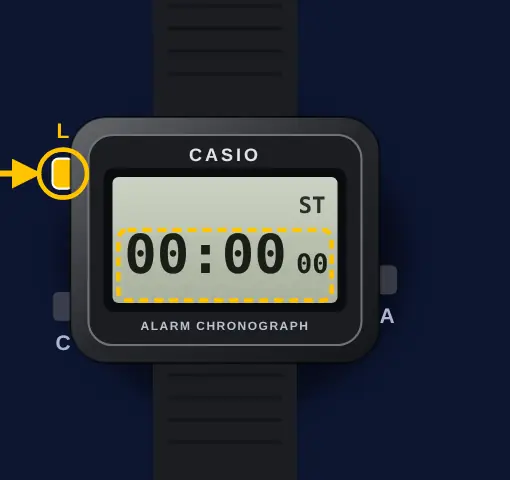
Press button C two times. ST shows on the display.
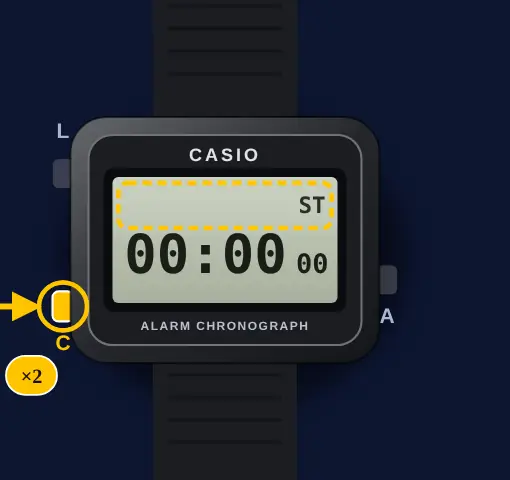
- 2
Start and stop
Press button A to start. Press button A again to stop. A signal sounds at each start and stop.
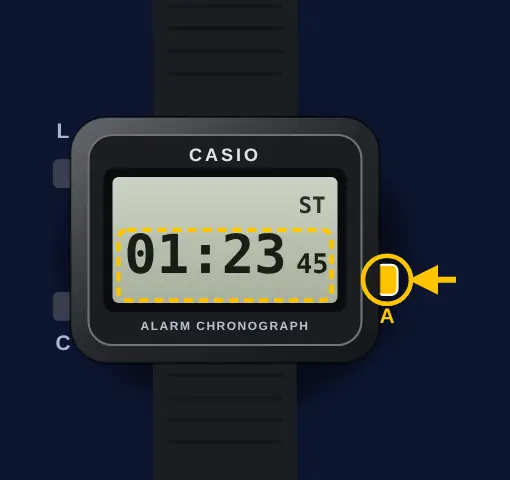 Press A again to continue from the stopped time (net time). The stopwatch goes up to 59 minutes 59.99 seconds.
- 3
Take a split time
While it runs, press button L for a split time. Press button L again to release the split.
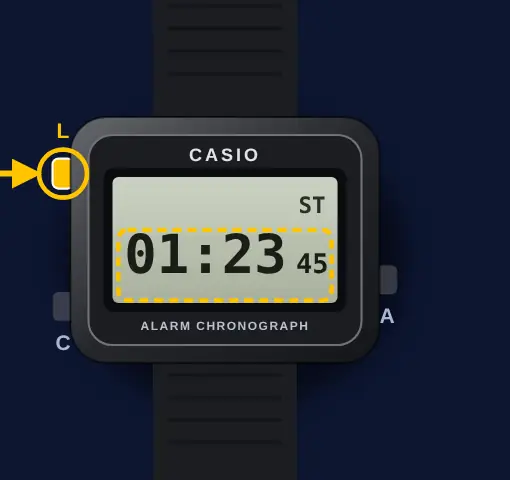 For two runners: A to start, L when the first runner finishes, A when the second finishes, L to see the second time, L to reset.
- 4
Reset to zero
Stop the stopwatch with button A. Then press button L to reset it.
Why the F-91W feels confusing
- Three buttons do every job, so each button does something different in each mode. I learn the C button first. C takes you round four modes: the time, the alarm (AL), the stopwatch (ST) and the setting mode.
- In the setting mode and the alarm mode, L moves to the next setting and A changes it. Hold A for more than 2 seconds and the numbers move quickly.
- Casio's whole guide fits on one page, but the print is small. So I put each job in its own steps here, with the button lit up in each drawing.
What owners run into
- Pressed C and now the seconds flash? That is the setting mode. Press C again to go back to the time.
- Changed the hour and lost your place? Casio says the order is fixed: seconds, hour, minutes, month, date, day. Push L to skip what you don't want to change.
- Time shows 13:00 and not 1:00 PM? In the Timekeeping Mode, press A to change between 24-hour and 12-hour.
- Watch beeps every hour? That is the hourly time signal. In the Daily Alarm Mode, press A until its mark goes off.
- Date right but the day wrong? The day is a separate setting after the date. It doesn't follow the date.
- Clocks changed for summer or winter time? The watch has no DST setting. Set the hour again.
- Display looks strange? Casio says the buttons can't damage the watch. Press C until the time shows again, then do the steps again.
How it differs from similar watches
This is a digital watch with three buttons and no hands. If you want world time and a DST switch, see the Casio AE-1200WH. For a G-Shock that can sync to a radio time signal, see the GW-BX5600. For a time signal to set the seconds, see how to set a watch to the second.
Quick answers
How do I set the time on a Casio F-91W?
Press C three times. The seconds flash. Press L for the hour and A to change it. Press L for the minutes and A to change them. Press C to finish.
How do I change the date on a Casio F-91W?
Press C three times, then L three times. Set the month with A. Press L for the date and L again for the day. Press C to finish.
How do I switch the F-91W to 24-hour time?
In the Timekeeping Mode, press A. Each push changes between the 12-hour and 24-hour formats.
How do I turn off the hourly beep on a Casio F-91W?
Press C once for the Daily Alarm Mode. Press A until the time-signal-on mark goes off. Keep the alarm-on mark if you still want the alarm.
How do I set the alarm on a Casio F-91W?
Press C once, so AL shows. Press L and set the hour with A. Press L and set the minutes with A. Press L to finish. Check that the alarm-on mark shows.
Does the F-91W change for summer time by itself?
No. Casio's DST guide for module 593 says to go to the setting mode, set the hour with L and A, and press C.
How do I turn on the light on an F-91W?
Press button L. Casio labels it Light in the guide.
What battery does module 593 use?
A CR2016. Casio gives about 7 years, with 20 seconds of alarm and 1 second of light a day.
Related guides
Sources
- CASIO Operation Guide 593, 10B+7L (Ver.C) (MA1211-ED), page 1: Reading the display, Setting time and calendar, Setting daily alarm, On or off setting, Stopwatch operation, Specifications (manufacturer PDF)
- CASIO DST Setting Module 593, quick operation guide, page 1 (manufacturer PDF)
- Ditur: Casio 593 guide (MA1211-ED), A158 manual