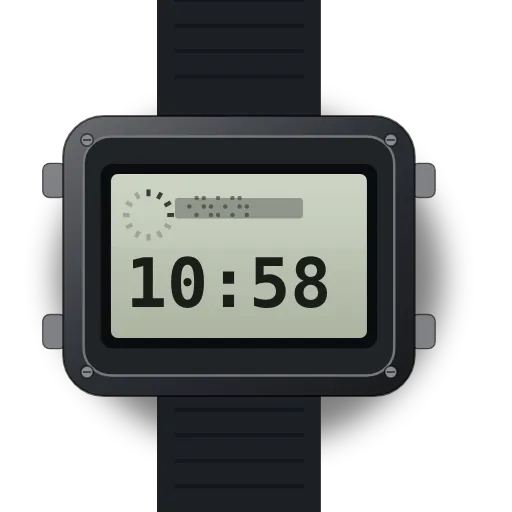
How to set DST and world time on a Casio AE-1200WH (3299)
Quick steps · Casio AE-1200WH, module 3299:
- Press D until the Home City Time, T-1, shows.
- Hold A until the seconds flash.
- Press C once to show the DST setting.
- Press D to switch DST on or off, then press A.
- For World Time, press C once, then press D to pick a city.
- Hold A for about one second to switch DST for that city.
- Press A and B together to make it your Home City.
At a glance
| Module | Casio's guide covers modules 3198 and 3299. It says the steps are the same and the drawings show 3198 (About This Manual, front page). |
|---|---|
| Models | Fan and retailer listings give module 3299 for the AE-1200WH. The guide doesn't name models. Check the number on your case back. |
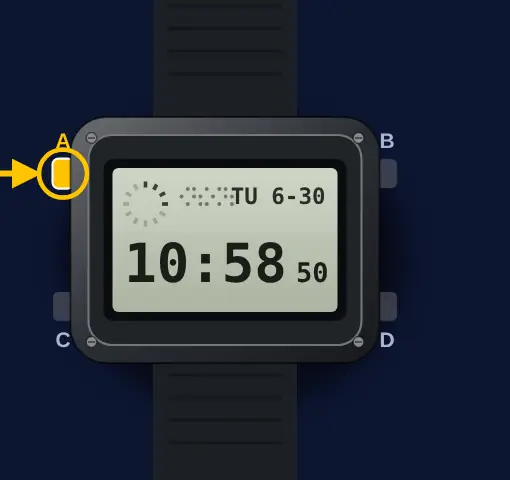
| Buttons | As Casio draws them: A upper left, B upper right, C lower left, D lower right. C changes the mode. B turns on the light (E-4, E-5). |
| Multi Time | The Timekeeping Mode has four times, T-1 to T-4. T-1 is your Home City Time. You can set the time on T-1 only. On T-2 to T-4 you set only the city code and DST (E-6 to E-8). |
| DST | A manual on/off switch for each city. DST adds one hour. The guide mentions no automatic summer time change (E-11, E-12, E-17). |
| World Time | 48 cities in 31 time zones, and UTC. City data as of December 2010 (E-16, L-2). |
| Accuracy and battery | ±30 seconds a month at normal temperature. CR2025, about 10 years (E-36). |
| Not in the manual | The AE-1200WH name, whether the hour changes when you change the Home City code, and city rules changed after 2010. |
What do you need to set?
Set the home city
- 1
Show the Home City Time
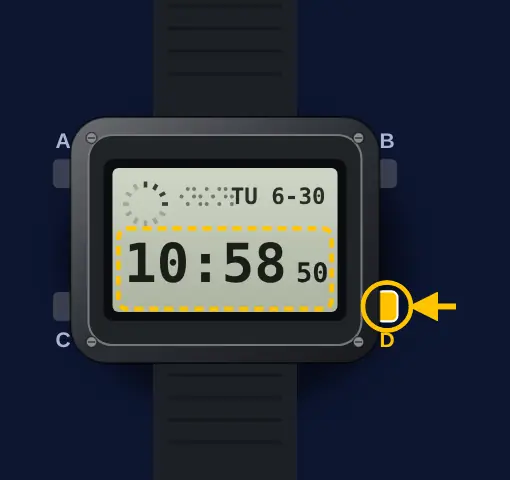
Press button D until the Home City Time (T-1) shows. Press button A to see its city code and T-1.
- 2
Open the setting screen
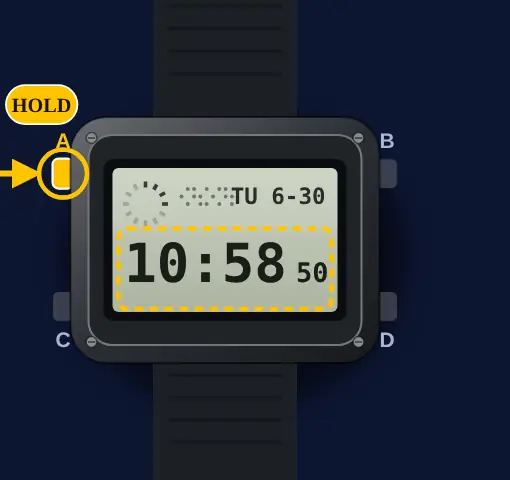
Hold button A until the seconds flash.
- 3
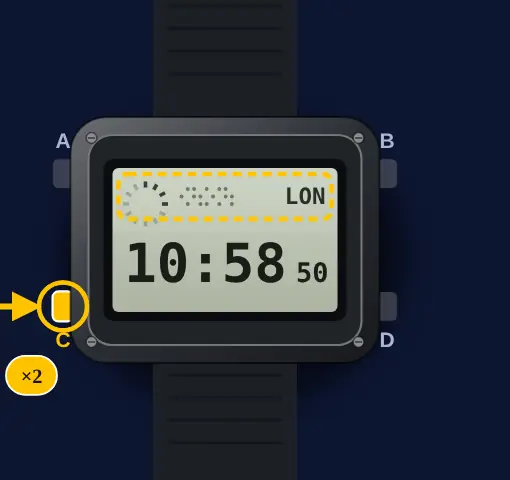
Press button C two times
Press button C two times. The city code flashes.
- 4
Select your city code
Press button D to go east. Press button B to go west.
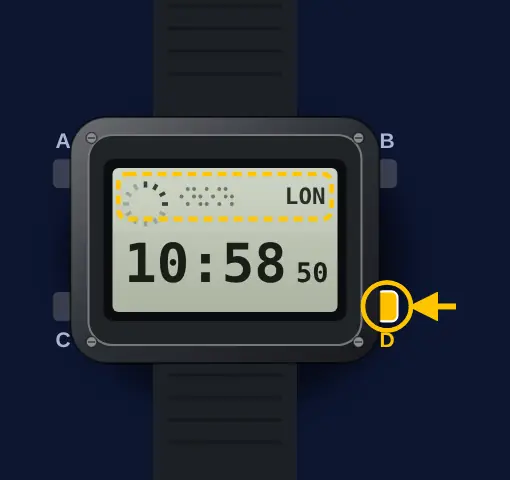 The codes are in the City Code Table at the back of the guide. Casio says its data is from December 2010 (L-2).
- 5
Press button A
Press button A to exit the setting screen.
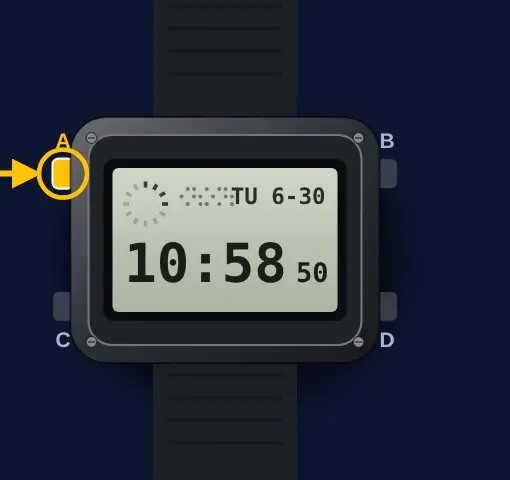 The guide does not say if the hour changes when you change the Home City code. Look at the time after you exit. Set it again if it is wrong.
Turn summer time (DST) on or off
- 1
Show the Home City Time
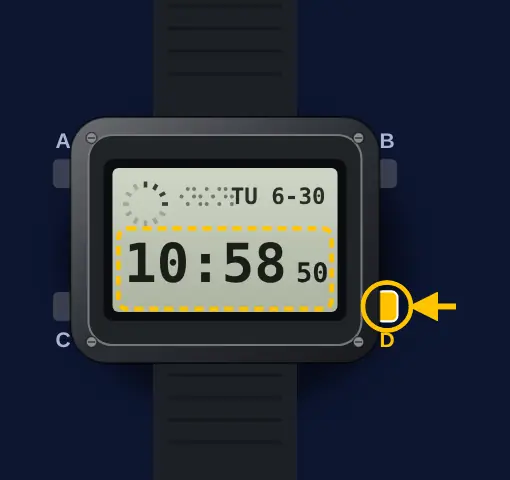
Press button D until the Home City Time (T-1) shows. Press button A to see its city code and T-1.
- 2
Open the setting screen
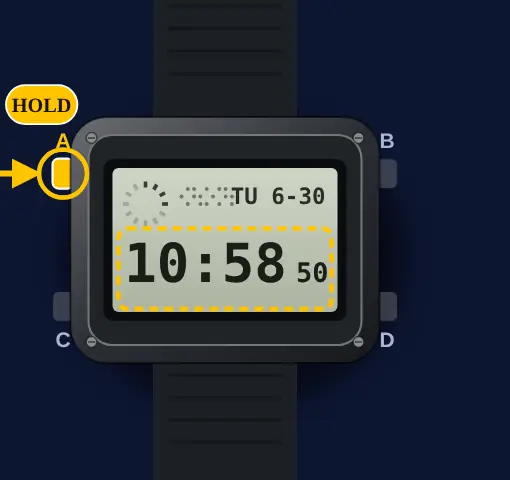
Hold button A until the seconds flash.
- 3
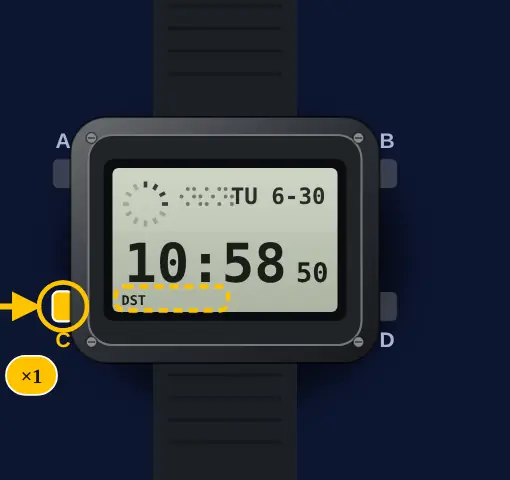
Press button C one time
Press button C one time. The DST setting screen shows.
- 4
Turn DST on or off
Press button D. Each press changes between Daylight Saving Time and Standard Time.
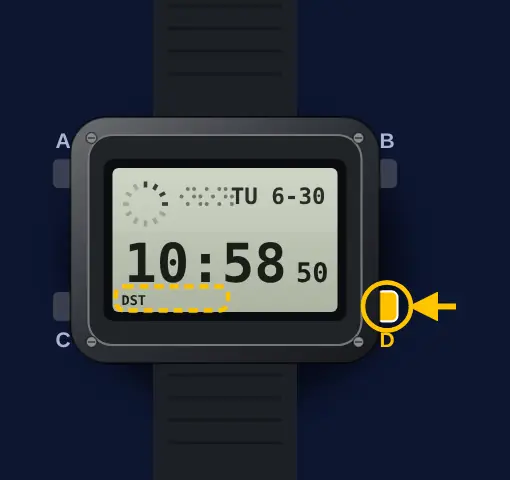 With DST on, the DST indicator shows on the Timekeeping screen. Daylight Saving Time adds one hour to Standard Time (E-11, E-12).
- 5
Press button A
Press button A to exit the setting screen.
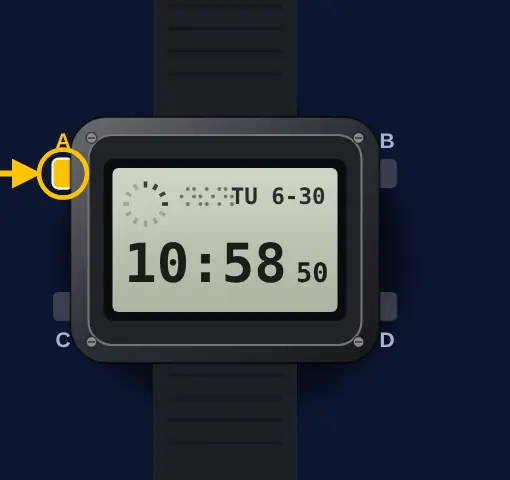 The guide gives only this manual switch. It mentions no automatic summer time change. Do these steps each time the clocks change.
Set a world time city
- 1
Go to the World Time Mode
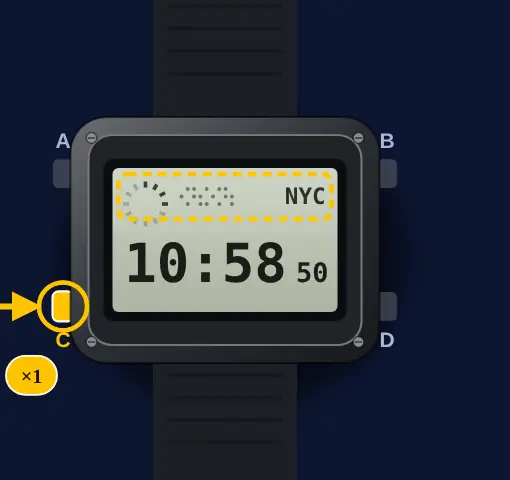
Press button C one time from the Timekeeping Mode.
- 2
Select a city code
Press button D. Each press moves one city code east.
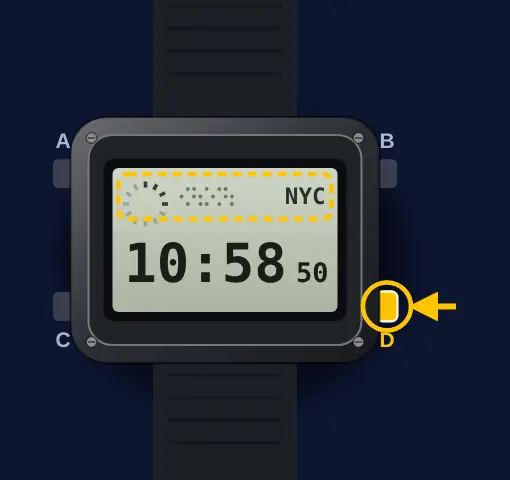 World Time shows 48 cities in 31 time zones, and UTC. It calculates each time from your Home City Time (E-16, E-34).
- 3
Turn DST on or off for this city
Hold button A for about one second. DST shows when Daylight Saving Time is on for this city.
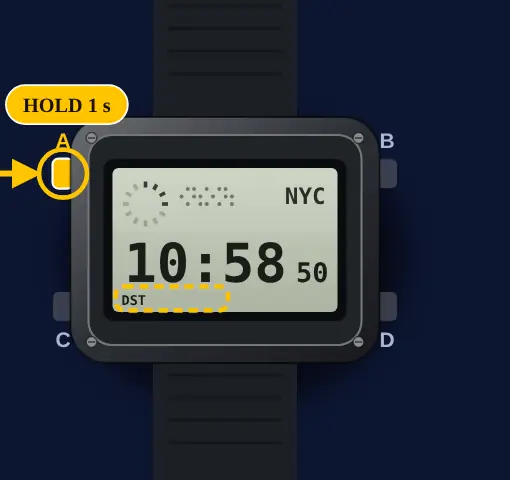 This changes only the city code on the display. The other city codes do not change. You cannot switch DST while UTC is selected (E-17).
- 4
Make it your Home City
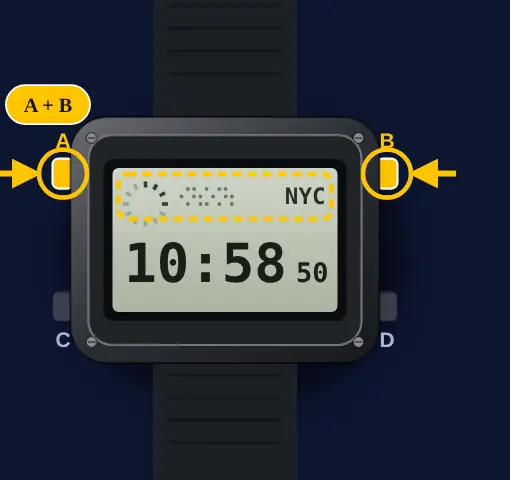
Press buttons A and B at the same time. The city on the display becomes your new Home Time city.
Set the time
- 1
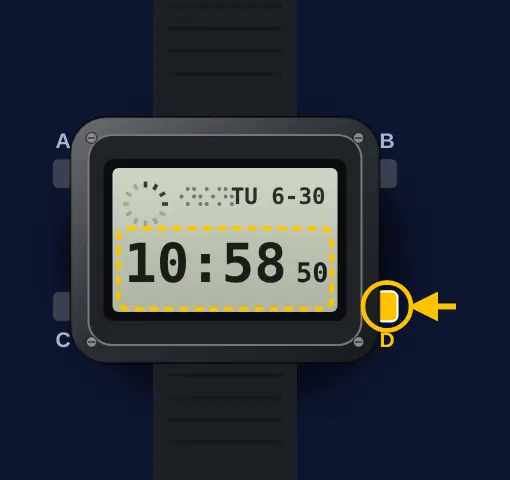
Show the Home City Time
Press button D until the Home City Time (T-1) shows. Press button A to see its city code and T-1.
- 2
Open the setting screen
Hold button A until the seconds flash.
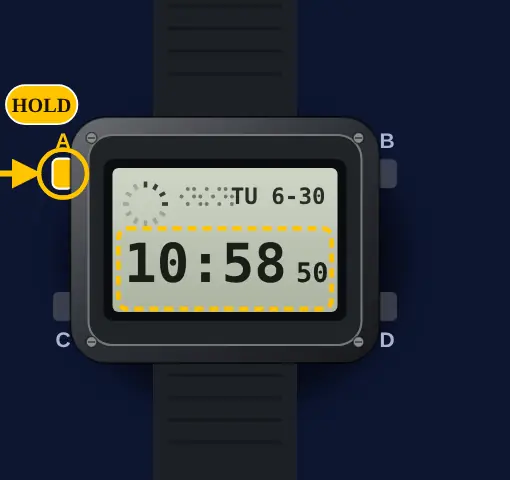
- 3
Reset the seconds
Press button D to reset the seconds to 00.
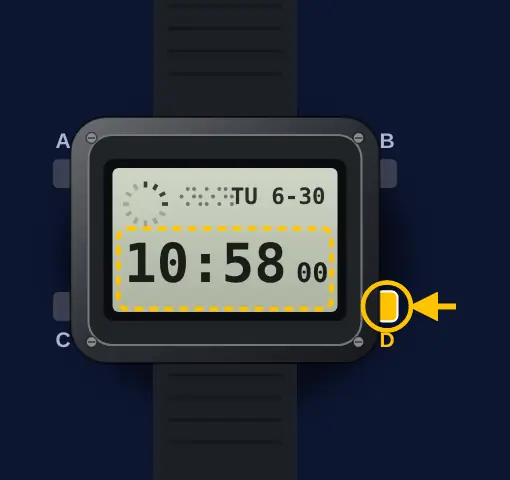 If the seconds are at 30 to 59, the reset adds 1 to the minutes (E-33).
- 4
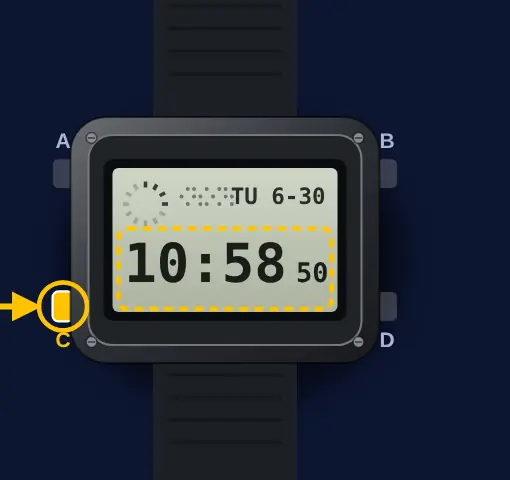
Go to the next setting
Press button C to move to the next setting. The order is seconds, DST, city code, hour, minutes, 12/24-hour, year, month, day, light.
- 5
Change the setting
Press button D to go up. Press button B to go down.
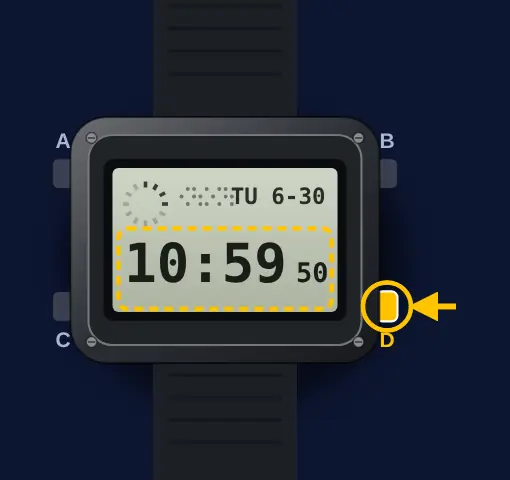 The day of the week sets itself from the date. The year range is 2000 to 2099 (E-11, E-33).
- 6
Press button A
Press button A to exit the setting screen.
Home City, Local Times and World Time
- I found the AE-1200WH confusing until I read how Casio splits it. T-1 is your Home City Time. T-2 to T-4 are three Local Times in the Timekeeping Mode. The World Time Mode is a separate mode with all 48 cities.
- To change a Local Time city, show it, hold A for about two seconds, use D and B, press C for its DST, then press A (E-13).
- To make a Local Time your Home City Time, show it in the Timekeeping Mode and press A and B together (E-14).
What owners run into
- Clock one hour out after the clocks changed? The 3299 has no automatic summer time in its guide. Turn DST on or off by hand.
- Changed DST in the World Time Mode and the main time stayed wrong? That setting is only for the city on the display. Use the T-1 setting screen for your own time.
- Pressed A and B together by mistake? That makes the displayed city your Home City. Do it again from your own city to change back.
- Can't set the time on T-2, T-3 or T-4? Casio says you set the time on T-1 only.
How it differs from similar watches
This is a digital watch with four buttons. The Casio F-91W is a simpler three-button digital watch: it has no world time or city codes, so you set the hour by hand when the clocks change. The G-Shock GW-BX5600 is also digital, but it can take a radio time signal. The other Casio guide here, module 3744, is an analog moon phase watch set with the crown.
Quick answers
How do I turn off DST on a Casio AE-1200WH?
Show T-1 with D. Hold A until the seconds flash. Press C once. Press D until Standard Time shows, then press A.
Does the AE-1200WH change to summer time automatically?
Casio's guide 3198/3299 describes only a manual DST switch. It says nothing about an automatic change.
How do I change the home city on a Casio AE-1200WH?
Hold A on the T-1 screen until the seconds flash. Press C two times. Use D or B to pick the city code. Press A.
How do I use world time on module 3299?
Press C once from the Timekeeping Mode. Press D to move east through the city codes. Hold A for about one second to switch DST for that city.
How do I swap home and world time on an AE-1200WH?
In the World Time Mode, show the city with D. Press A and B at the same time. That city becomes your Home Time city.